

Orders come in by phone and WhatsApp
The dealer calls, a sales rep takes notes, someone else keys it into the system. Every step wastes time and invites errors.
WhatsApp: +90 850 346 55 49 · info@netsystem.com.tr
A 24/7 B2B ordering system for your dealers: dealer prices, live stock, orders, credit and payments in one portal; orders flow into your ERP automatically.
From 7,900 ₺ per month (excl. VAT) · Plans and prices
Who uses it? Companies selling automotive spare parts, hardware, building materials, electrical supplies, industrial products, machinery and equipment, and wholesalers.
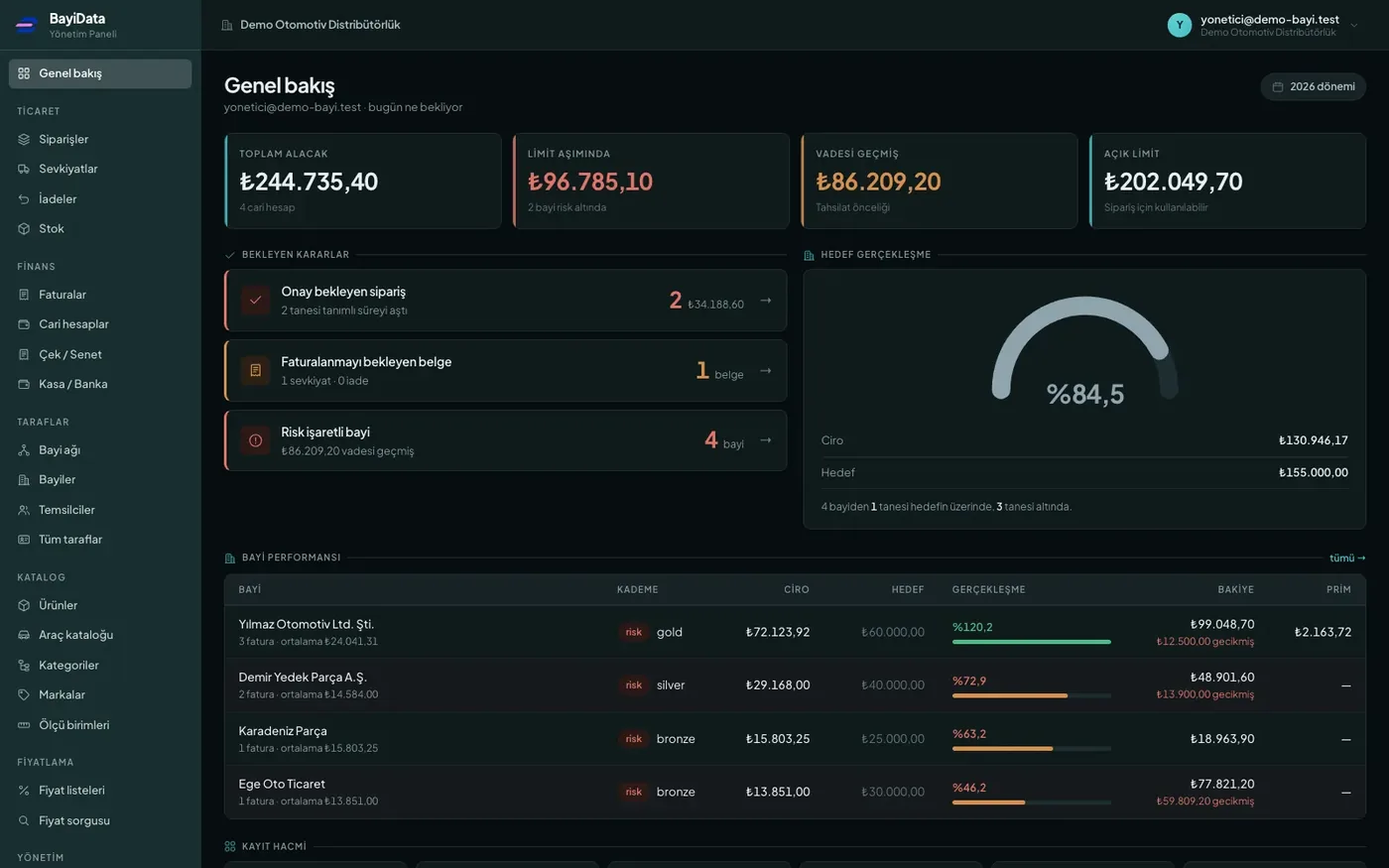

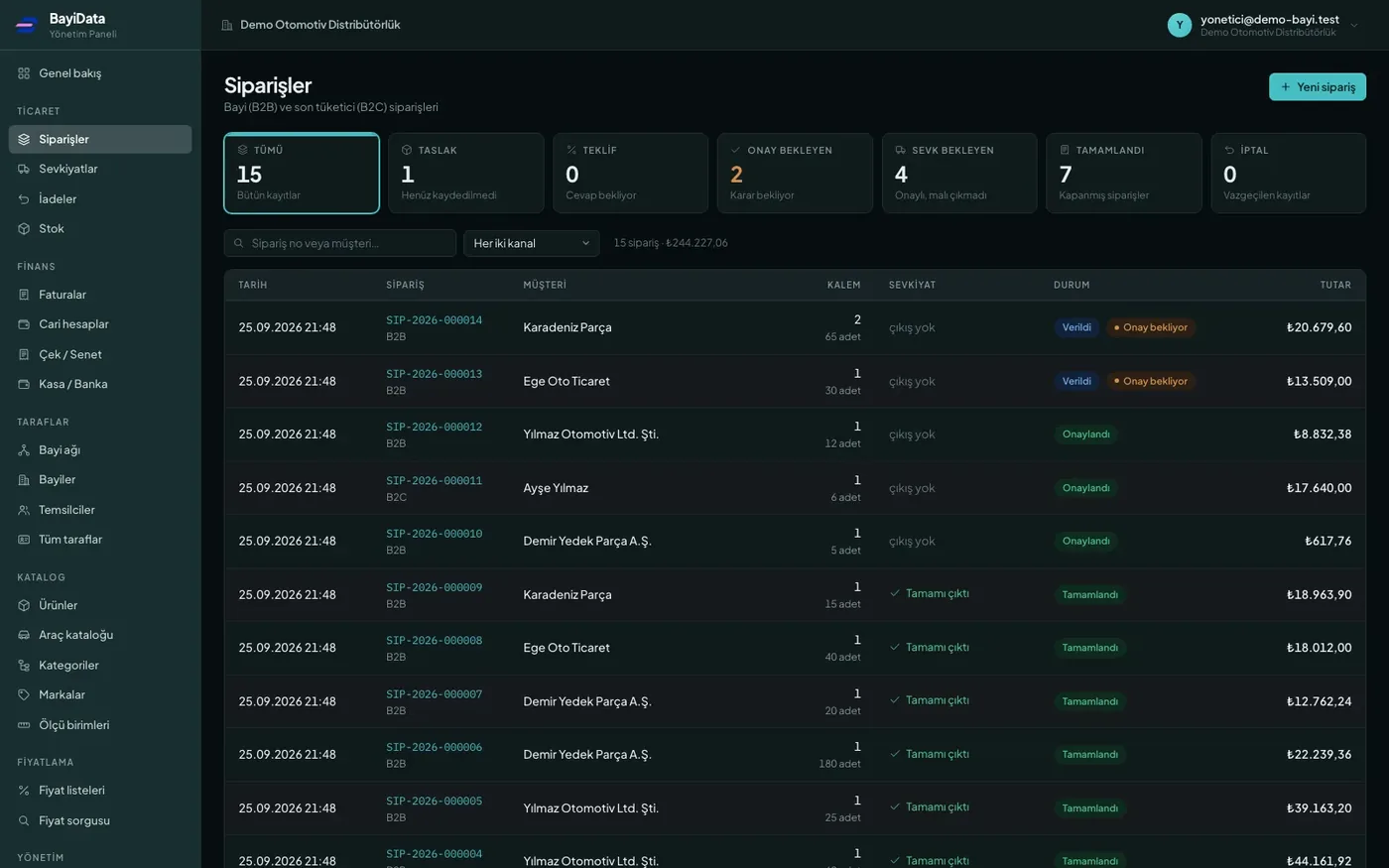
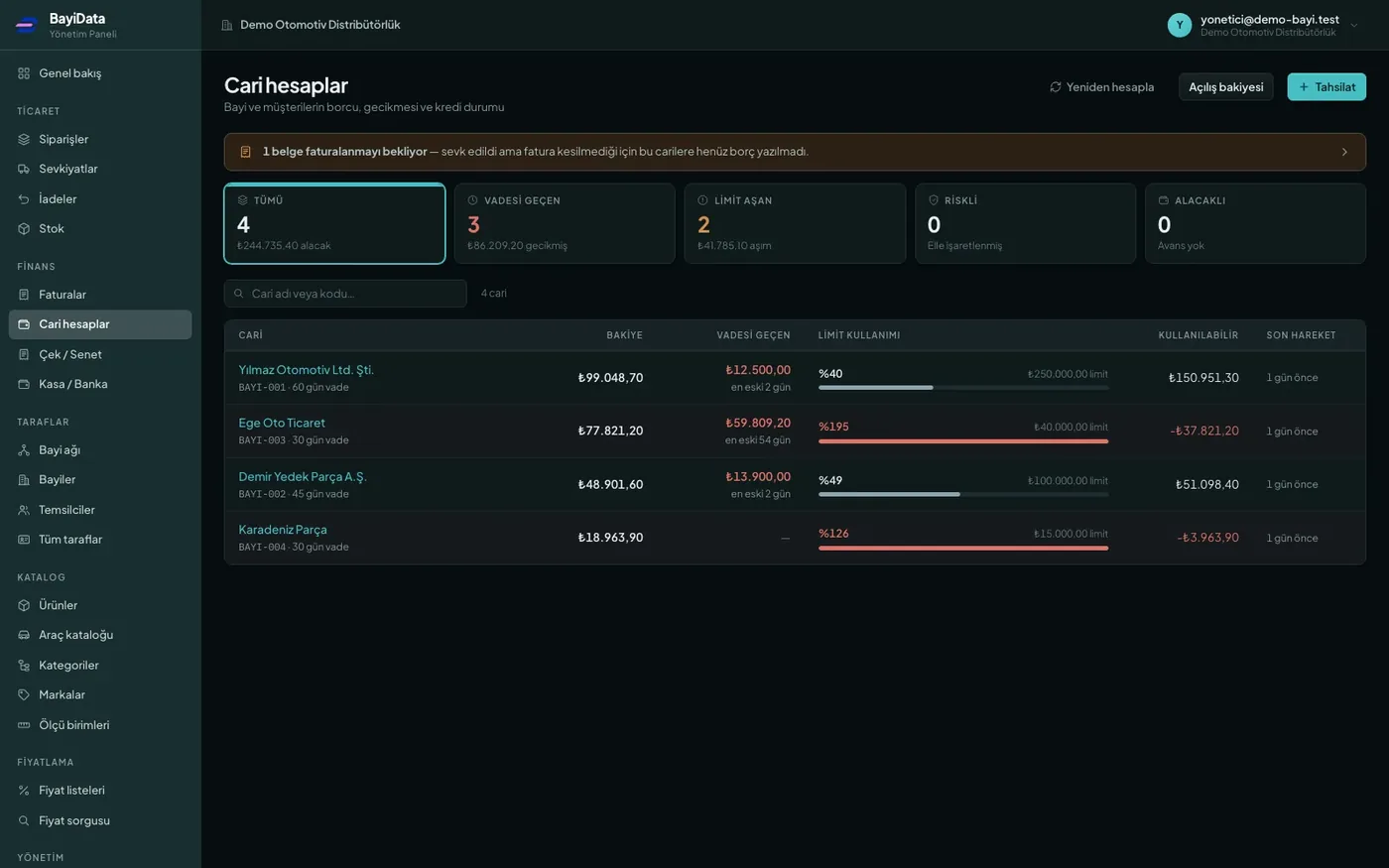
These screens come from BayiData itself; companies work with them today. Company names and figures shown are examples.
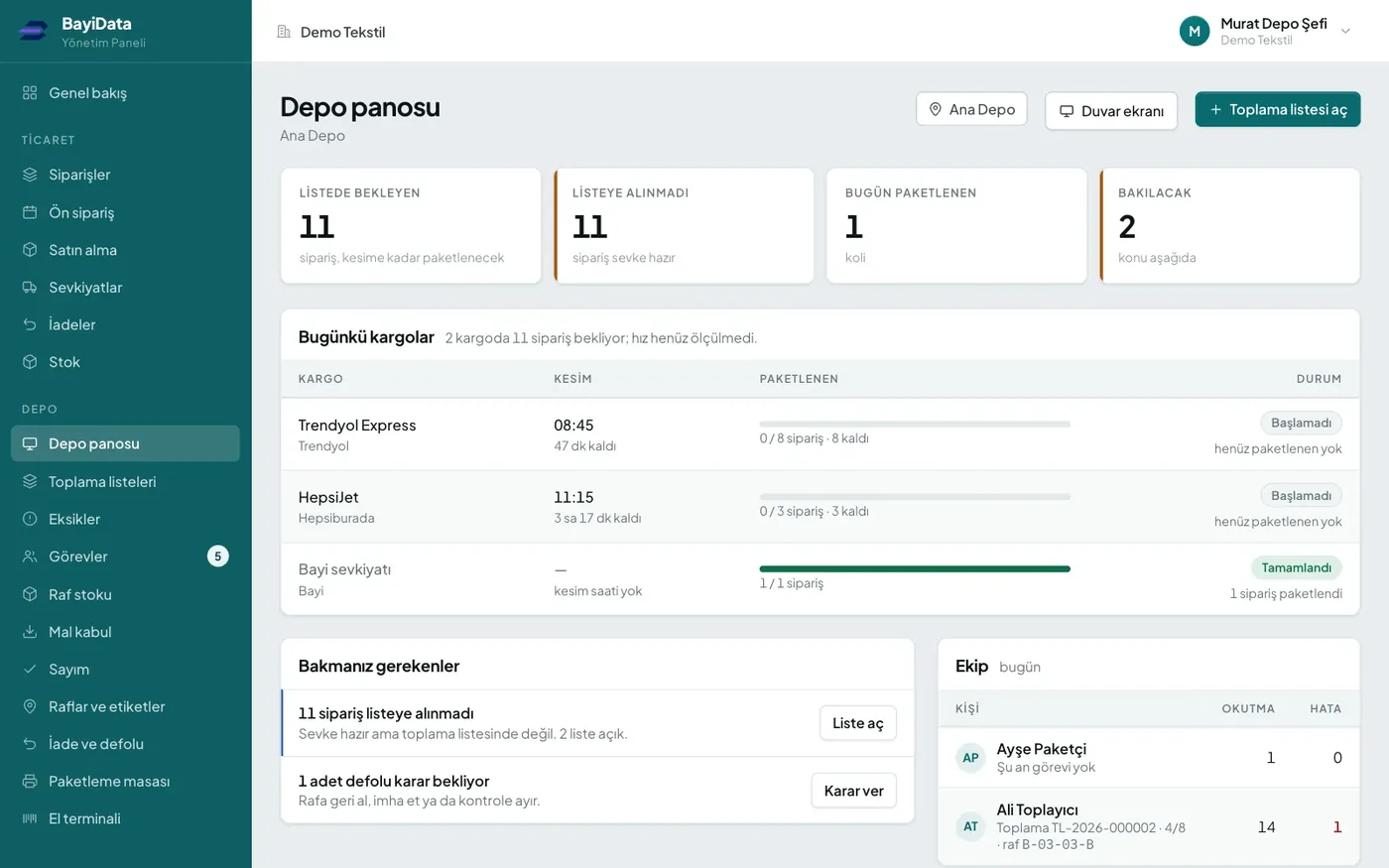
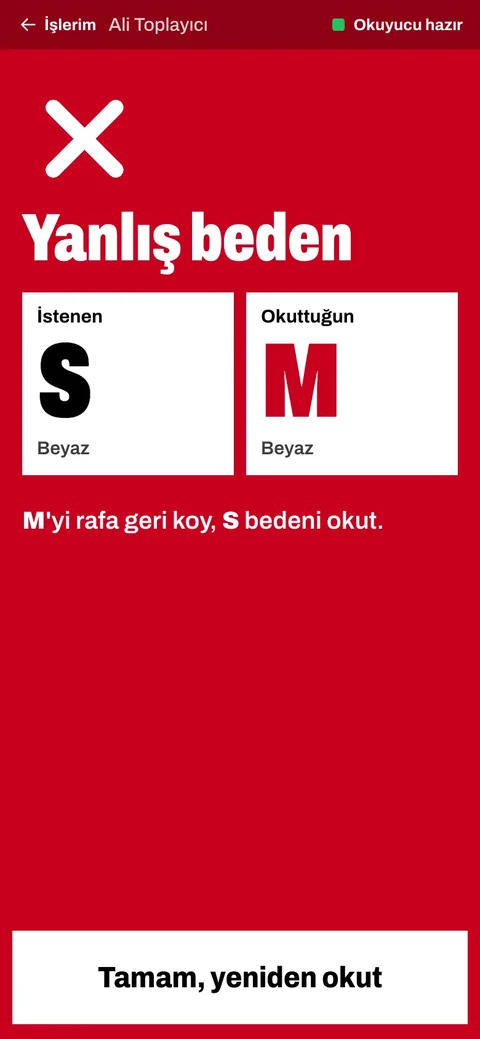
Shelf addresses, picking on handheld terminals, packing checks and stock counts. The picker sees the route on the handheld; the moment a wrong item is scanned the screen turns red. Dealer and marketplace orders leave the same warehouse from the same list.
Add-on module for BayiData: from 4,900 ₺ per month (excl. VAT)
Explore warehouse management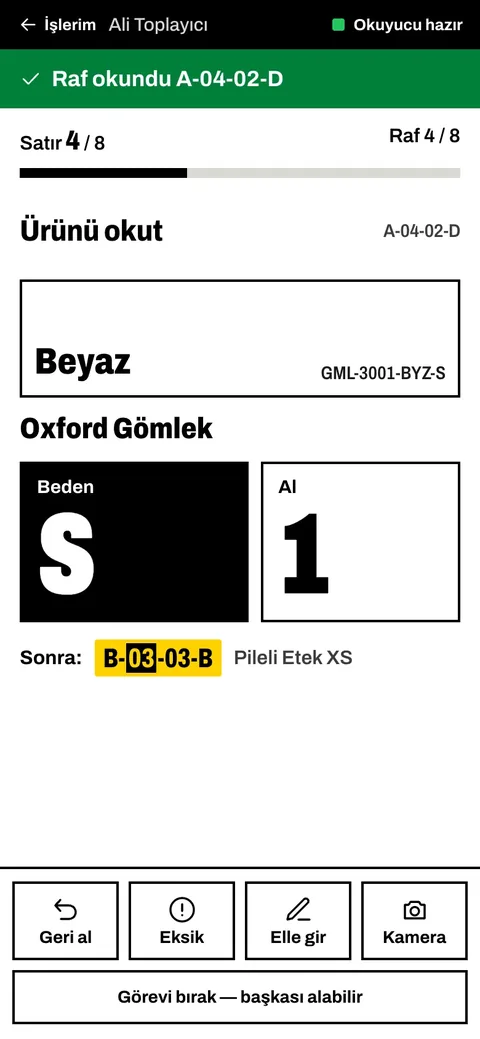
The four most common problems we see in the industry — and how BayiData solves them.
The dealer calls, a sales rep takes notes, someone else keys it into the system. Every step wastes time and invites errors.
Dealer-specific discount lists live in Excel, and orders placed at the wrong price are caught only after the fact.
Dealers order products that aren't in stock, and the orders get canceled. Trust is lost and effort is wasted.
Goods ship to dealers who are over their limit, and collection problems surface only after the sale.
B2B (business-to-business) software is a closed ordering portal through which manufacturers, distributors and wholesalers sell online to their dealers and corporate customers. Unlike retail e-commerce, each customer works with their own price list, discounts, open account and credit limit; only registered dealers can log in to the portal, with their own user accounts. What is B2B? A detailed guide
BayiData turns your dealer network into an ordering channel that's open 24/7. Each dealer sees their own price list, current stock and account balance in their own dashboard and enters orders directly into the system. Orders flow into your ERP automatically, and the system alerts you when a credit limit is exceeded. Your sales team stops taking orders and starts growing sales.
BayiData is designed to cover your business's day-to-day workflow from end to end.
Separate users and permission-based admin screens for every dealer, with a log of who did what.
Dealer portalPricing and discount rules by dealer, dealer group or customer.
Dealer-specific pricingReal-time stock by warehouse; dealers can't order items that aren't available.
Stock and warehouse managementDirect order entry by dealers, with order approval workflows and shipment tracking.
Order managementDealers view their debits, credits and statements — no more reconciling over the phone.
Account trackingDealer credit limit and open account checks; orders over the limit are automatically routed for approval.
Dealer-specific price, terms and limitPromotions for specific dealers or dealer groups, plus target and bonus tracking.
Works two-way with Logo, Netsis, Mikro, Zirve, SAP and Nebim.
B2B with Logo, Netsis and MikroInstant collection through online payments and payment gateways.
Cheque and note trackingDealers order from their phones, and your field team enters orders right in front of the customer.
Field salesNo complex setup — your team gets up to speed in hours, not days.
Dealers, groups, price lists and credit limits are set up in the system.
Product, stock and account data starts flowing automatically from your business software.
Dealers see their own prices, current stock and balance, and place their orders themselves.
Approved orders are transferred to your ERP, and shipment and collection are tracked.
We configure BayiData around the ordering habits of each industry.
Dealers search for parts by OEM number, equivalent part number or vehicle details. With ParçaData, compatible vehicles and in-stock equivalent parts are listed on the same screen. Spare parts B2B solution
Dealers search a catalog of thousands of items by product code or browse by category, and see prices and stock instantly. Dealer group discounts and promotions are managed from one place.
For high-value project orders, credit limit and open account checks kick in before shipment; overdue balances are reported.
Discount structures that vary by brand and product group are defined as dealer-specific pricing rules; promotions are published by dealer group.
For technical products, dealers order while seeing up-to-date stock by warehouse; sales reps enter orders in the field, in front of the customer.
Orders from hundreds of dealers are collected on one screen, go through approval and are transferred to the ERP; dealer performance is tracked by revenue and order frequency.
You don't need to replace the software you use; BayiData talks to it. For systems not on the list, we connect via web services and APIs through our B2B & ERP integration service.
Decision dashboards that give managers hard numbers, not guesses.
Revenue, target attainment and order frequency by dealer.
Credit limit utilization, overdue balances and collection performance.
Most and least ordered products, and demand distribution by region.
Because every company's dealer structure is different, we scope the project around your needs rather than using a fixed price list. The main factors that determine cost:
The number of dealers, dealer users and field sales reps who will use the portal.
Which business software is involved, and which data (stock, prices, accounts, orders, invoices) flows in which direction and how often.
Which modules will be used: promotions, online payments, credit limits, mobile access and reporting.
Catalog preparation: number of products, variants, images and, for spare parts, OEM and equivalent part matching.
How many different price lists and discount rules apply per dealer, dealer group and product group.
Custom screens, reports and approval workflows, or a portal design that matches your corporate identity.
In the discovery call we work through these points together and share the scope and cost item by item. Details: What determines B2B software pricing?
B2B software is a closed ordering portal through which a company sells online to its dealers and corporate customers. Each dealer logs in with their own user account, sees their assigned prices, current stock and account balance, and places orders themselves. Instead of coming in by phone or WhatsApp, orders go straight into the system and from there into the ERP.
An e-commerce site sells to everyone at the same price, usually with upfront payment. In a B2B system, each dealer has their own price list and discounts, open account, payment terms and credit limit; orders can go through approval and are posted to the current account. The portal is open only to registered dealers.
Pricing depends on the number of dealers and users, the scope of the ERP integration, the modules used, the product and catalog structure, the variety of price and discount rules, and any need for custom development. In the discovery call we clarify the scope and share the cost item by item.
Setup takes four steps: dealers, price lists and credit limits are defined; the ERP connection is established; dealers are invited to the portal; and orders start flowing into the ERP. The timeline depends on the scope of the ERP connection, the number of products and dealers, and any need for custom development. We share the schedule step by step after the discovery call.
It works two-way with the Logo product family (Tiger, Go, j-Platform), Netsis, Mikro, Zirve, SAP and Nebim. Product, stock, price and account data comes from your ERP, and approved orders are posted back to it. Systems not on the list are connected via web services and APIs.
Yes. BayiData is mobile-friendly; dealers can place orders and check their balance and order status from a phone or tablet. Your field sales reps can also enter orders on the spot during customer visits.
The credit limit and open account are checked on every order. If the limit is exceeded, the order is automatically routed for approval, and nothing ships until an authorized person approves it. Credit limit utilization and overdue balances are tracked in reports.
Yes. When BayiData is used with ParçaData, dealers search for parts by OEM number, equivalent part number or vehicle details, and see compatible vehicles and in-stock equivalent parts on the same screen. The right part is found on the first search, reducing wrong orders and returns.
Yes. Dealer records, current accounts and price lists are imported from your ERP; any information not held in the ERP is bulk-imported from Excel during setup. You don't need to set up your dealers again one by one.
Data products run on a shared infrastructure, so your data flows between them.
From OEM numbers to equivalent parts, from vehicle fitment to product catalogs, your spare parts…
View EntegreDataCreate your products once and publish them to Trendyol, Hepsiburada, Amazon, N11 and other sales channels…
View ServisDataFrom customer check-in to work orders, from vehicle history to inventory and payments, your entire service…
ViewWe cover the features, integrations, sector use and guides in detail on the product's own website, bayidata.com.
BayiData is live. Plans, prices and demo requests are on the product's own website; for setup and customisation you can also write to us.